3. Driver Management
The Driver Management module handles everything from initial onboarding to compliance and operational tracking.
Onboarding Drivers
Adding a Single Driver
You can manually create a salaried driver account by clicking the Add Driver button.
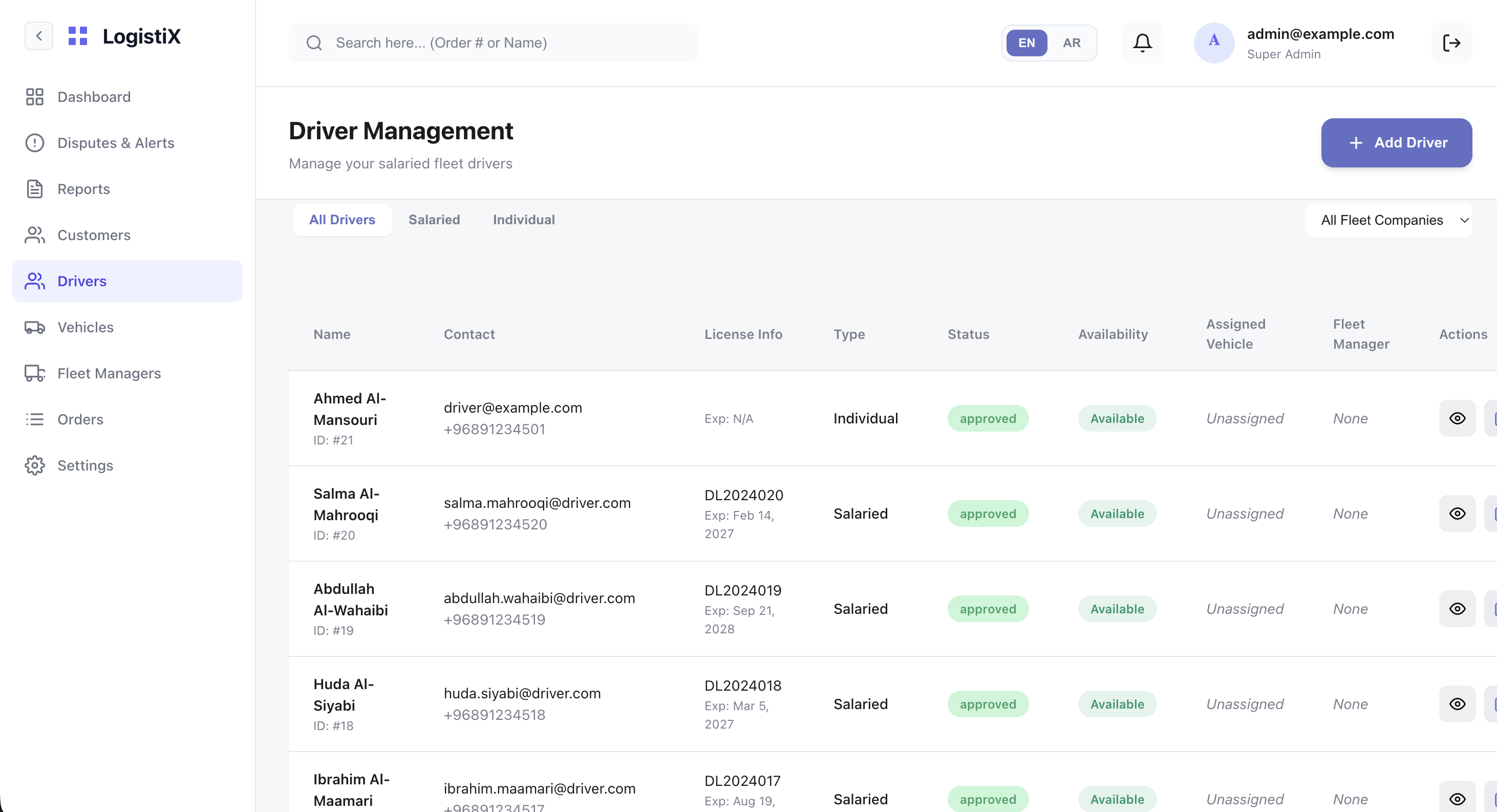
Bulk Uploading Drivers
To onboard multiple drivers simultaneously, use the CSV bulk upload feature.
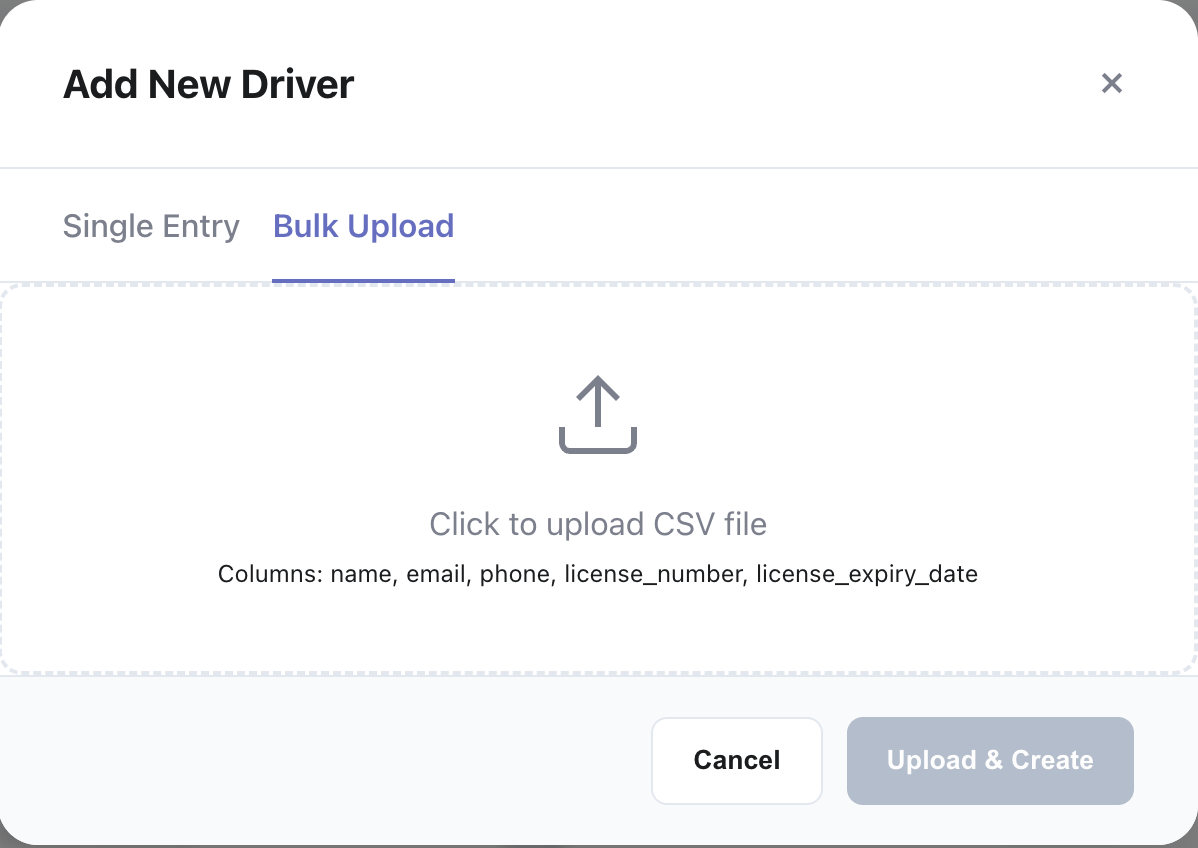
CSV Format Note: Ensure your CSV includes columns for Name, Phone, Email, License Number, and Role (if assigning to a specific fleet).
Driver Approval Pipeline
Drivers who register through the app land in the Pending Approval queue.
- Click on a pending driver to open their details.
- Review their uploaded KYC documents and licenses.
- Click Approve to activate their account or Reject if the documents are invalid.

Operational Management
For active drivers, the admin can:
- Update profile details.
- Block/Unblock accounts for disciplinary reasons.
- View live GPS locations via the driver details map.