9. Reports & Invoicing
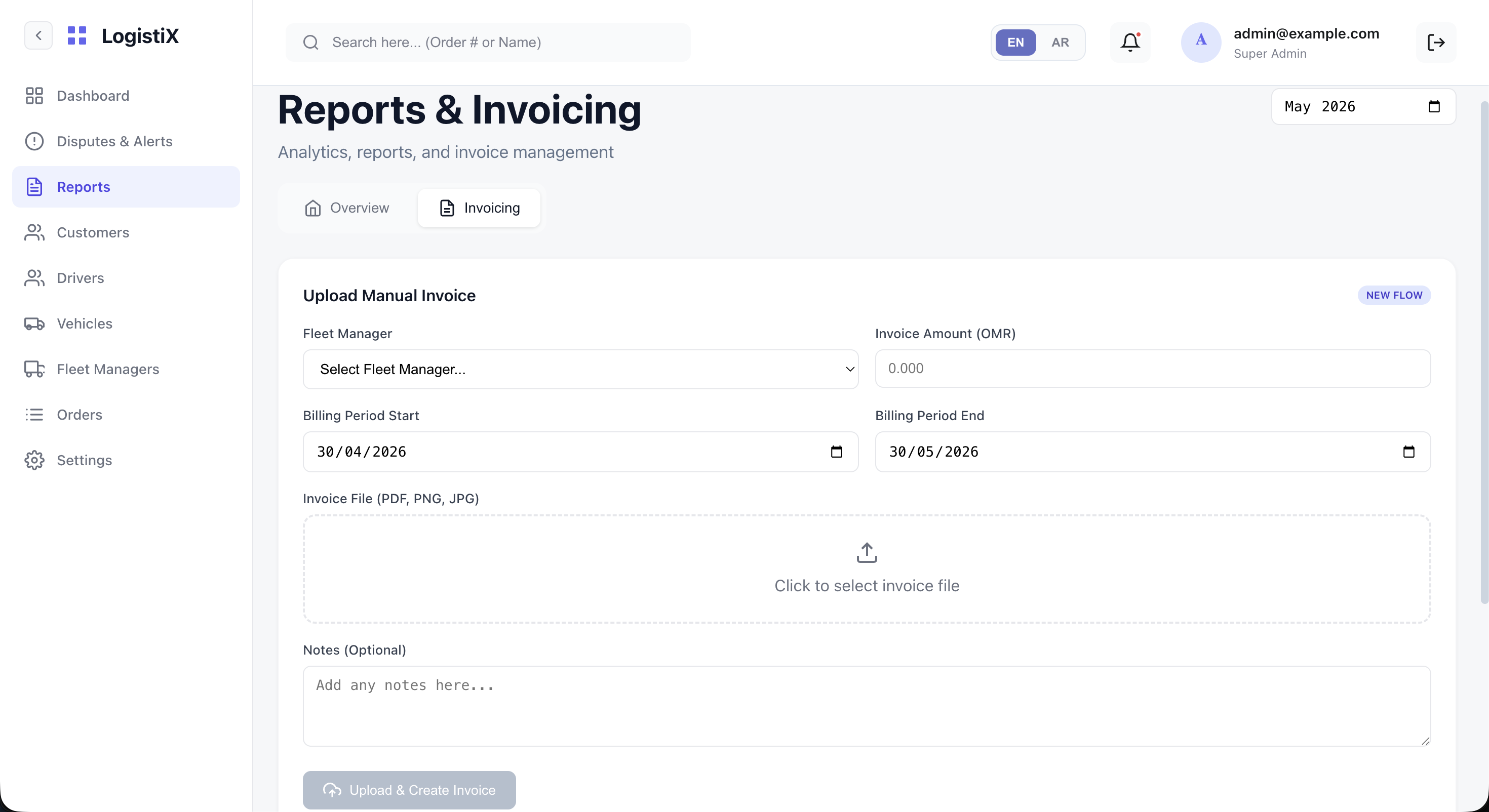
The Reports & Invoicing module is essential for auditing system health, generating analytics, and managing manual financial settlements.
Dashboard Tabs
When you open this section, you have access to two primary tabs:
1. Overview
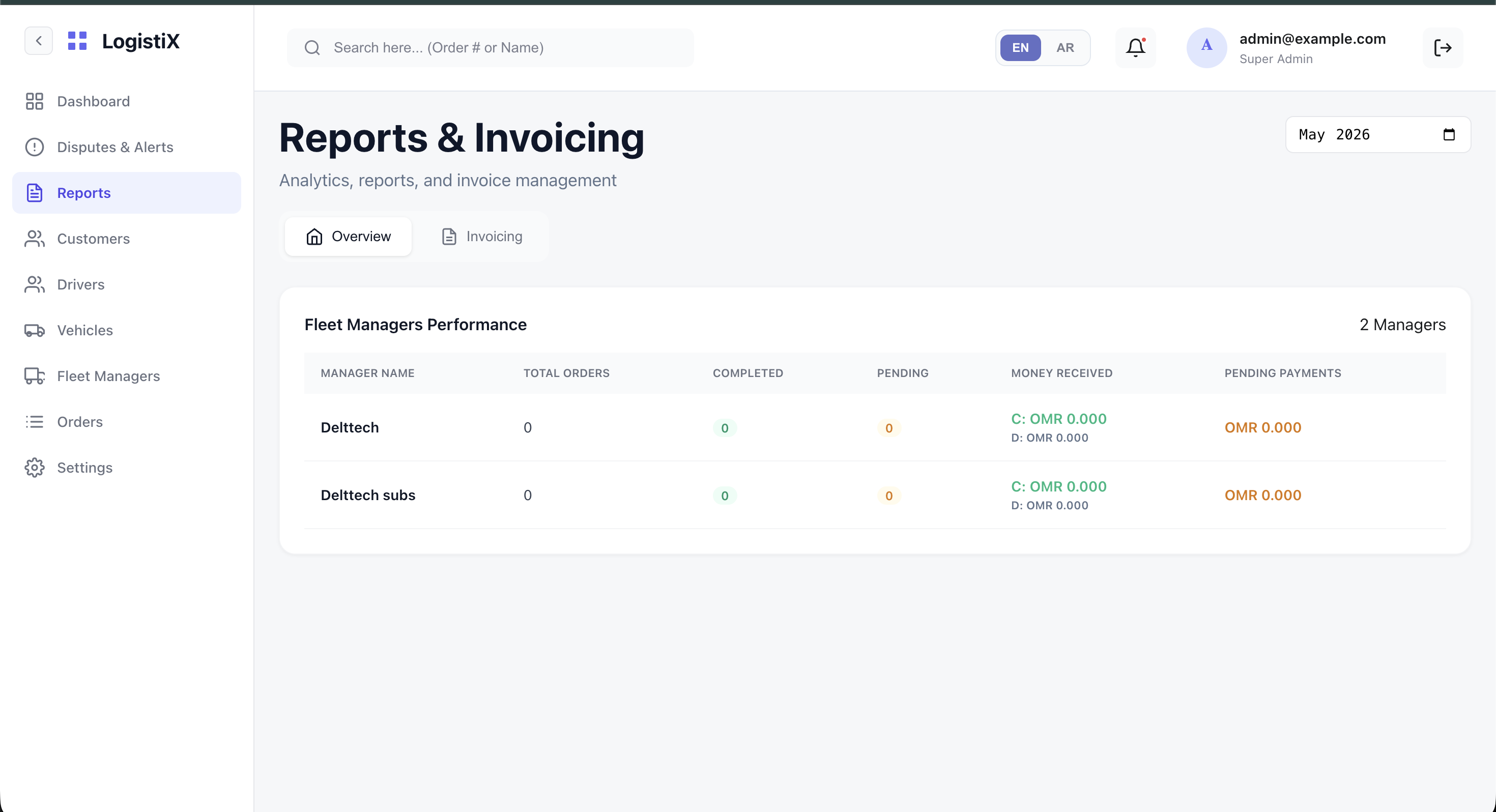
The Overview tab contains all your system analytics and reports. You can generate CSVs or view data regarding overall platform usage, or drill down into specific Fleet performance metrics over custom date ranges.
2. Invoicing
The Invoicing tab provides a dedicated workflow to Upload Manual Invoice. This is particularly useful for settling payments with Fleet Managers.
- You can select a specific Fleet Manager.
- Enter the Invoice Amount (OMR).
- Define the Billing Period Start/End.
- Upload the actual Invoice File (PDF, PNG, JPG).
- Add any optional notes before creating the invoice.